If you’re looking for an iphone shutting down randomly fix, you probably have one of the most annoying iPhone problems. A phone that shuts off without warning is one of the most annoying things. You could be browsing, calling or using Google Maps one second and then your screen goes black the next. The worst part is that the device might restart on its own, which would make it seem like it doesn’t work at all.
Don’t worry if you’re having this problem in Auckland. A lot of the time, the problem is caused by a bad battery or a small iOS bug. But if your iPhone keeps shutting down over and over, it could be a sign of more serious hardware damage that needs to be looked at by a professional.
This guide talks about the most common reasons for sudden shutdowns and gives you some simple things you can do at home to fix the problem. If the problem keeps happening, you’ll also find out why going to Erepair N Spares in Auckland might be the best long term fix.
Why Does an iPhone Shut Down Randomly?
If your iPhone shuts down without warning, it probably means that it isn’t getting stable power. Your battery percentage might say 40% or 60%, but that doesn’t mean the battery is strong enough to keep the phone running well. Sometimes, the phone shuts down because iOS crashes or the phone gets too hot and shuts down to protect itself.
Battery health problems, outdated iOS versions, overheating, full storage, charging problems, water damage or problems with the internal motherboard are some of the most common reasons. Let’s look at each one closely so you can figure out what’s wrong with your phone.
Battery Health Issue
How to check the health of your battery
To check the health and charging of your battery, go to Settings > Battery > Battery Health & Charging.
Look at the percentage of the maximum capacity.
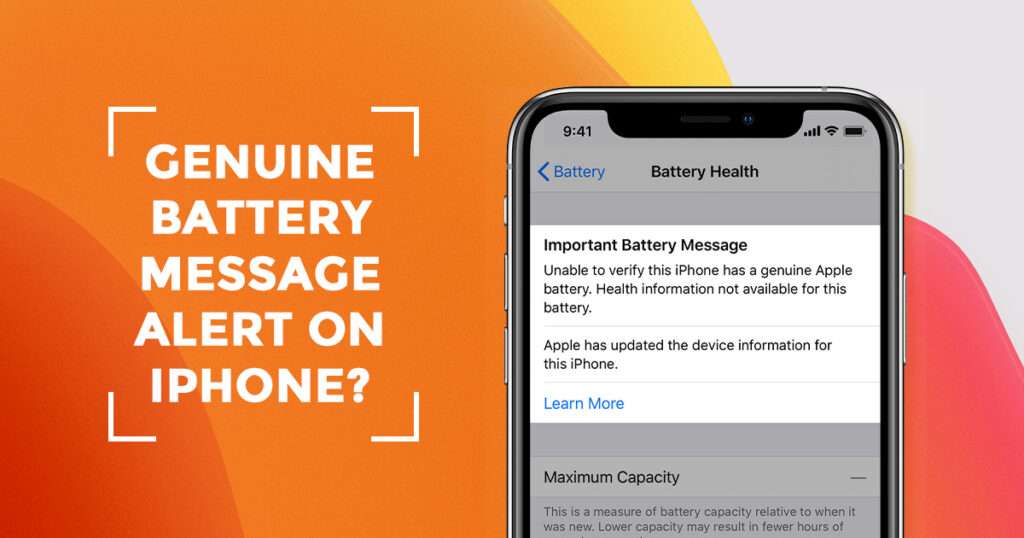
Your battery is worn out if it is less than 80%. Apple may also send you a message telling you that the battery health is getting worse.
Some signs that a battery is dying are
- The iPhone shuts down even when it’s more than 20% charged
- The battery drains faster than normal
- The battery percentage suddenly goes up
- The phone feels slow
- The device gets hot while it’s charging
If you see these signs, changing the battery is usually the best way to fix the problem for good.
We offers dependable iPhone battery replacement services that make your phone more stable and faster.
Outdated iOS Software or System Bugs
What you need to do
To get the newest version, go to Settings > General > Software Update and install it.
One of the easiest things you can do to avoid shutdown problems is to keep your iPhone’s iOS up to date, even if everything else seems fine.
Force Restart Your iPhone
If your iPhone keeps shutting down for no reason, a force restart can help the system get back on track. This doesn’t delete any data, but it fixes temporary problems and may make performance more stable.
Steps to force restart iPhone 8 and later
- Press and release Volume Up
- Press and release Volume Down
- Press and hold the Side Button until the Apple logo appears
Before you try anything more complicated, this is a quick fix that might work.
Storage Almost Full Can Cause Instability
A lot of people don’t know that having low storage can cause big problems with the system. If your iPhone doesn’t have enough storage, iOS has a hard time managing background processes. This can cause apps to crash, freeze, get too hot and even shut down at random times.
Look at your storage
Select Settings, then General and finally iPhone Storage.
If your storage is almost full, you can make space by deleting apps you don’t use, clearing out large videos, getting rid of downloads you don’t need and managing your photo backups. You should try to keep at least 5 to 10 GB free.
For a lot of people, freeing storage is a surprisingly effective iphone shutting down randomly fix, especially for older models. Looking for professional iPhone Repair Service in Papakura, Auckland
Overheating Can Trigger Automatic Shutdown
If your iPhone gets too hot, it might turn off on its own to protect its internal parts. This is a safety feature that comes with iPhones.
Your iPhone might get too hot because of
- A lot of gaming or streaming
- Taking long pictures with the camera
- Charging while using apps
- Putting the phone in direct sunlight
- Always using GPS navigation
What to do when things get too hot
Stop using the phone right away and let it cool down on its own. If you need to, take off the case and move the phone to a cooler place. Don’t charge the phone until it cools down to a normal temperature.
Faulty Charger, Cable or Charging Port
Charging may be unstable if the cable or adapter is broken. Your iPhone may say it’s charging, but it’s not really charging right. This causes the battery to lose power suddenly, which makes it shut down.
Fast problem solving
- Use a different adapter and cable
- Use a charger that is either original or certified
- Look for dust in the charging port
- Don’t use metal pins to clean it
If your charging port is broken, you need to have it fixed by a professional. Erepair N Spares Auckland can quickly check out and fix problems with charging.
Background App Activity Can Drain Power
Your iPhone can get overloaded and run out of battery quickly if you have too many apps running in the background. This can make the device shut down without warning, especially if the battery is already low.
Solution
To turn off background app refresh for apps you don’t need, go to Settings > General > Background App Refresh.
Also, to keep your phone’s performance stable, close apps you don’t use and restart it from time to time.
Reset All Settings Safe Option
Resetting all settings can help if your shutdown problem started after you changed system settings, updated iOS or installed some apps. This step will reset your Wi Fi, Bluetooth and system preferences, but it won’t delete your photos, apps or personal data.
Steps
Go to Settings, then General, then Transfer or Reset iPhone, then Reset and finally Reset All Settings.
This is a safe way to fix a lot of problems with software that make things unstable.
Also Learn How to fix MIcrosoft Surface
Restore iPhone Using iTunes or Finder Advanced Fix
If your iPhone keeps shutting down after basic fixes, the problem may be deeper software corruption. Restoring the iPhone completely reinstalls iOS and gets rid of any corrupted system files.
Steps
- Link your iPhone to a PC
- Open iTunes on Windows or Finder on Mac
- Choose your device
- Press the button that says Restore iPhone
This method can fix serious software problems, but if the shutdowns keep happening after a restore, it’s very likely a hardware problem.
Water Damage or Moisture Exposure
Another big reason for random shutdowns is water damage. Even if your phone wasn’t completely underwater, rain, spills or humidity can still get inside and slowly damage the parts inside.
A lot of iPhones work fine for a few days after getting wet, but then they start shutting down over and over again as the corrosion spreads.
If you think there might be water damage
Please turn off the phone right away. Don’t charge it. Don’t use a hair dryer because the heat could hurt the internal circuits even more.
Instead, get it fixed by a pro shop right away. Erepair N Spares can clean up water damage and figure out what’s wrong. This will help keep damage from getting worse over time.
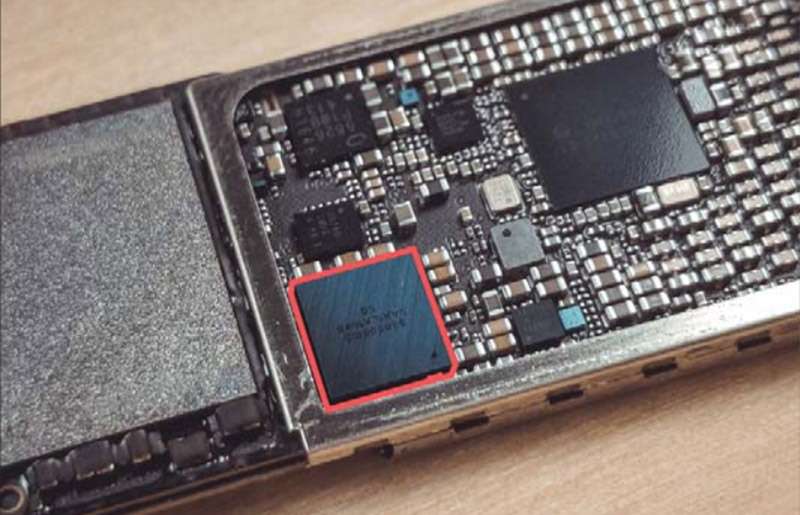
Hardware Problems Power IC or Motherboard Damage
If your iPhone keeps shutting down for no reason, it might be a hardware problem. This happens a lot if you’ve dropped your phone, gotten it wet or had it fixed before.
Some possible hardware problems are
- Failure of the power IC
- Battery connector that isn’t tight
- Damage to the charging circuit
- Short circuit inside
- Problems with the logic board
You can’t fix these problems at home. They need tools and repair skills that only professionals have.
Trusted iPhone Repair in Auckland – Erepair N Spares
Erepair N Spares is a great choice if you need a reliable iphone shutting down randomly fix in Auckland. They can fix both simple problems like replacing batteries and more complicated ones like charging problems and power circuit problems.
Their technicians can look at your phone and figure out what’s wrong instead of just guessing. This saves time, stops more damage from happening and helps you avoid spending money on repairs that aren’t needed.
Things they can help with
- Changing the battery in an iPhone
- Fixing the charging port
- Tests to find out why the phone shuts down at random times
- Fixing water damage
- Fixing problems with the logic board
- Ways to fix performance and overheating issues
If your phone shuts down for no reason, taking it in for repair right away can stop a small problem from turning into a big one.
Final Thoughts
A random shutdown problem can make your iPhone seem useless, but you can usually figure out what’s wrong. Most of the time, the real problem is the health of the battery. In other cases, it could be because of old software, not enough storage, overheating or problems with charging.
Try the steps for fixing the problem that are listed above, like updating iOS, making more space on your device and checking the health of your battery.
For people in Auckland, the best long term solution is to have a professional look at the problem and fix it. Erepair N Spares is a reliable place to go for iPhone repairs and battery replacements if you want a quick and easy fix.
Call Erepair N Spares Papakura, Auckland today if you need a permanent iphone shutting down randomly fix. We’ll get it working smoothly again.
Visit us at 2/182 Great South Road, Papakura, Auckland 2110 or call us at 02108475935 We serve customers across Papakura, Auckland and surrounding areas like Takanini,Drury,Near Manukau & South Auckland . Book a free diagnostic today.
FAQ
To be honest, I‘d say 80% of the time, when a phone shuts down unexpectedly, it‘s the battery. The reason is that while the battery still reads a charge on the outside, inside, It can‘t hold the voltage properly any more. Therefore, when the phone is trying to use more power from the battery (opening an application, taking a picture), as soon as it calls for more power the battery is unable to provide that power and it shuts off.
The first thing that we ask customers few questions because typically because we can narrow down if it is a battery problem or not. Does the phone turn off at a certain percentage (something like 20%–30%)? = battery Did it start after a software update? = glitch Has there ever been any water damage or has the phone been dropped? = potential internal damage If you look for these patterns you will see that phones do not shut down without cause. There is always a reason for that shut down.
These are a few things that would be recommend, you try before bringing the iPhone in for repair: Restart Phone (they‘re usually simple fixes but will help) Update Software Check Battery Health (if applicable) Remove Shady/Recently Installed Apps Factory Reset (only if comfortable) If after trying all of these steps it continues to turn off unexpectedly, then don’t wait to long as it is likely a hardware issue. Most probably the cause would be your battery.
If your Surface won’t turn on while plugged in, try a different charger and cable first. If the charging indicator light doesn’t activate, the charging port or battery may be faulty and needs professional repair.
Any decent repair shop can check it in a few minutes. You don’t need to go straight to an expensive authorized center unless your phone is under warranty.
Most local repair shops like Erepair N Spares located in Auckland or Wellington will:
- Test battery health
- Check charging behavior
- Tell you straight if it needs replacing
don’t even charge for diagnosis.
Need this fixed in Papakura?
Our technicians deal with this every week at our store on Great South Road, Papakura. Learn more about our iPhone repair in Papakura, call 021 0847 5935, or book a repair online. Diagnosis is free, and you get a clear quote before any work starts.