

Cracked MacBook Pro A2442 Screen? We Can Help.
Your MacBook Pro A2442 is built for demanding creative work, business, and everyday performance. A damaged display shouldn’t stop you from getting the most out of your device.
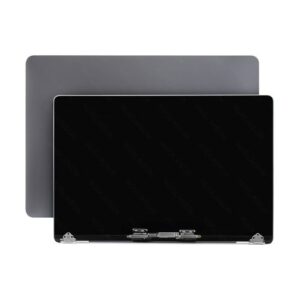
Whether you’ve accidentally dropped your MacBook, noticed flickering, black patches, coloured lines, or the screen simply won’t turn on, Erepair N Spares offers professional OEM-quality LCD screen replacement services to restore your MacBook Pro’s display.
Our experienced technicians carefully diagnose every device before beginning repairs, ensuring the issue is correctly identified and resolved. Every replacement display is tested for image quality, brightness, and functionality before your MacBook leaves our workshop.
Premium Screen Replacement for MacBook Pro A2442
The display is one of the most important components of your MacBook. A quality replacement not only restores the appearance of your laptop but also ensures you continue enjoying a sharp, vibrant viewing experience.
Our OEM-quality replacement displays are selected for:
- Excellent image clarity
- Accurate colour reproduction
- Reliable brightness
- Smooth everyday performance
- Precise fit and finish
- Long-lasting durability
Whether you use your MacBook for design, video editing, university, business, or daily work, we aim to restore the display to a high standard of performance.
Product Features
- OEM-Quality LCD Display Assembly
- Compatible with MacBook Pro A2442
- Liquid Retina XDR Display Quality
- Excellent Brightness & Contrast
- Sharp Image Resolution
- Factory-Style Fit & Finish
- Fully Tested Before Installation
- Professional Installation Available
- Final Functional Testing Included
- 4-Month Warranty
Common Display Issues We Repair
A screen replacement may be recommended if your MacBook Pro A2442 has:
- Cracked LCD Screen
- Broken Display Assembly
- Black Screen
- Flickering Display
- Vertical or Horizontal Lines
- Coloured Screen
- Dead Pixels
- White Screen
- Backlight Failure
- Liquid Damage
- Pressure Damage
- Screen Bleeding
- Display Not Working
- Impact Damage
- Dim Display
If you’re unsure whether your screen requires replacement, our technicians can carry out a full inspection before any repair begins.
Compatible Model
This replacement display is designed for:
Apple MacBook Pro A2442 (14-inch)
Not sure about your MacBook model?
Simply contact us or visit our workshop, and we’ll help identify the correct replacement display for your device.
Why Choose Erepair N Spares?
Replacing a MacBook Pro display requires precision, experience, and quality components.
At Erepair N Spares, every MacBook undergoes a thorough diagnostic assessment before any repair work begins. This allows us to identify hidden issues that may affect the display or overall device performance.
After installation, your MacBook is carefully tested to ensure:
- Display brightness is consistent
- Colours appear natural and accurate
- Camera functions correctly
- Sensors operate normally
- Display opens and closes smoothly
- Overall performance meets our quality standards
We believe in repairing devices properly—not simply replacing parts.
What’s Included
Every MacBook Pro A2442 screen replacement includes:
- OEM-Quality LCD Display Assembly
- Professional Installation (Optional)
- Full Device Inspection
- Display Performance Testing
- Camera & Sensor Testing
- Final Quality Check
- Device Cleaning
- 4-Month Warranty
Our Repair Process
Step 1 – Comprehensive Diagnosis
We inspect your MacBook to determine whether the display assembly is the source of the fault and check for any additional hardware issues.
Step 2 – Precision Screen Replacement
The damaged display is professionally removed and replaced with an OEM-quality LCD assembly using specialised repair equipment.
Step 3 – Quality Assurance
Before returning your MacBook, we thoroughly test:
- Display Quality
- Brightness
- Colour Accuracy
- Liquid Retina XDR Performance
- FaceTime Camera
- Ambient Light Sensor
- Overall Device Functionality
Step 4 – Ready for Collection
After passing our final inspection, your MacBook is cleaned and prepared for collection.
Why Repair Instead of Replace?
If your MacBook Pro A2442 is otherwise functioning well, replacing the damaged display is often a far more economical option than purchasing a new device.
A professional screen replacement can help extend the life of your MacBook while restoring the premium viewing experience it was designed to deliver.
Local Apple Repair Specialists
Our Papakura workshop proudly serves customers throughout:
- Papakura
- Takanini
- Drury
- Karaka
- Manurewa
- Manukau
- Pukekohe
- South Auckland
- Greater Auckland
Frequently Asked Questions
Q. Is this an OEM-quality replacement display?
Yes. We use OEM-quality display assemblies that are carefully tested for brightness, colour accuracy, clarity, and overall functionality before installation.
Q. How long does a MacBook Pro A2442 screen replacement take?
Most repairs are completed within the same day or the following business day, depending on stock availability and our current repair schedule.
Q. Does the repair include a warranty?
Yes. Every replacement includes a 4-month warranty covering both the replacement display and our workmanship.
Q. Can I purchase only the LCD?
Yes. If you don’t require installation, you can purchase the replacement display separately.
Q. Will replacing the screen affect my files?
No.A display replacement normally doesn’t affect your stored data, although we recommend creating a backup before any hardware repair.
Q. My MacBook turns on but the screen is black. Does it need a new display?
Not necessarily. A black screen can have several causes. Our technicians perform a full diagnosis before recommending a repair, ensuring you only pay for the work that’s actually needed.
Q. How do I confirm my MacBook model?
The model number is usually printed on the underside of your MacBook. If you’re unsure, contact us with your serial number and we’ll help identify the correct replacement.
Reviews
There are no reviews yet.